Suppress the Zotero security prompt
Stop Zotero from showing a confirmation dialog every time it opens an obsidian:// link.
Zotero shows a security confirmation dialog each time it opens an obsidian:// URI (for example, when you click a backlink in Zotero that points back to an Obsidian note). You can suppress this dialog by adding a preference in Zotero's Config Editor.
This prompt is different from the Zotero permission dialog for annotation editing. Answer that dialog with Always Allow, as described in Edit PDF annotations in Obsidian.
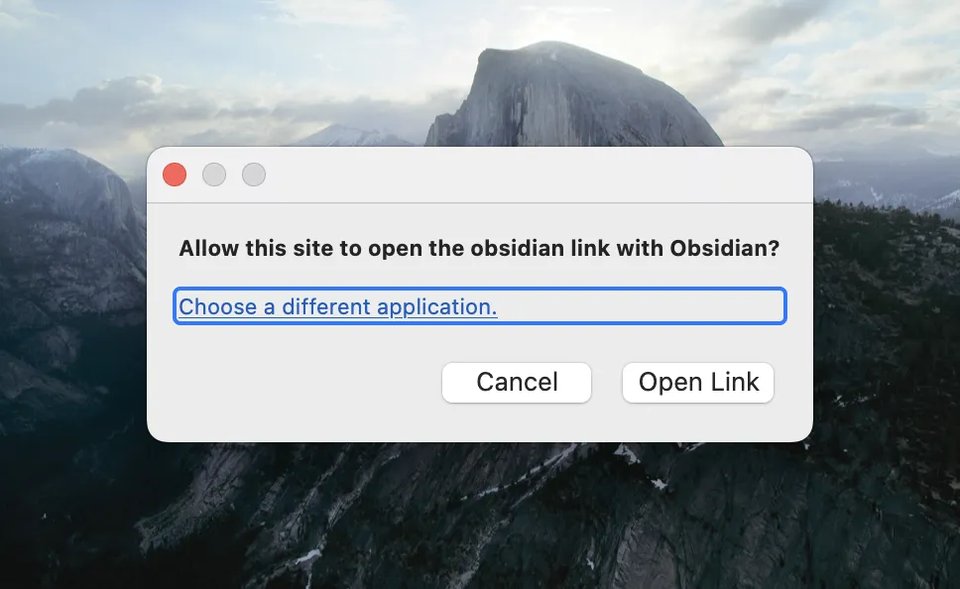
Add the protocol-handler preference
Open Zotero Settings
In Zotero, open Edit > Settings (Windows/Linux) or Zotero > Settings (macOS).
Open the Config Editor
Select the Advanced pane, then click Config Editor. Click Accept the Risk and Continue. The Config Editor opens in its own window.
Search for the preference
In Search preference name, type:
network.protocol-handler.external.obsidianThis preference does not exist by default, so no saved entry matches. Zotero adds a row for the name you typed, with the three types Boolean, Number, and String.
Create the preference
Keep Boolean selected, then click the + (Add) button at the end of that row. Zotero creates the preference with the value true.
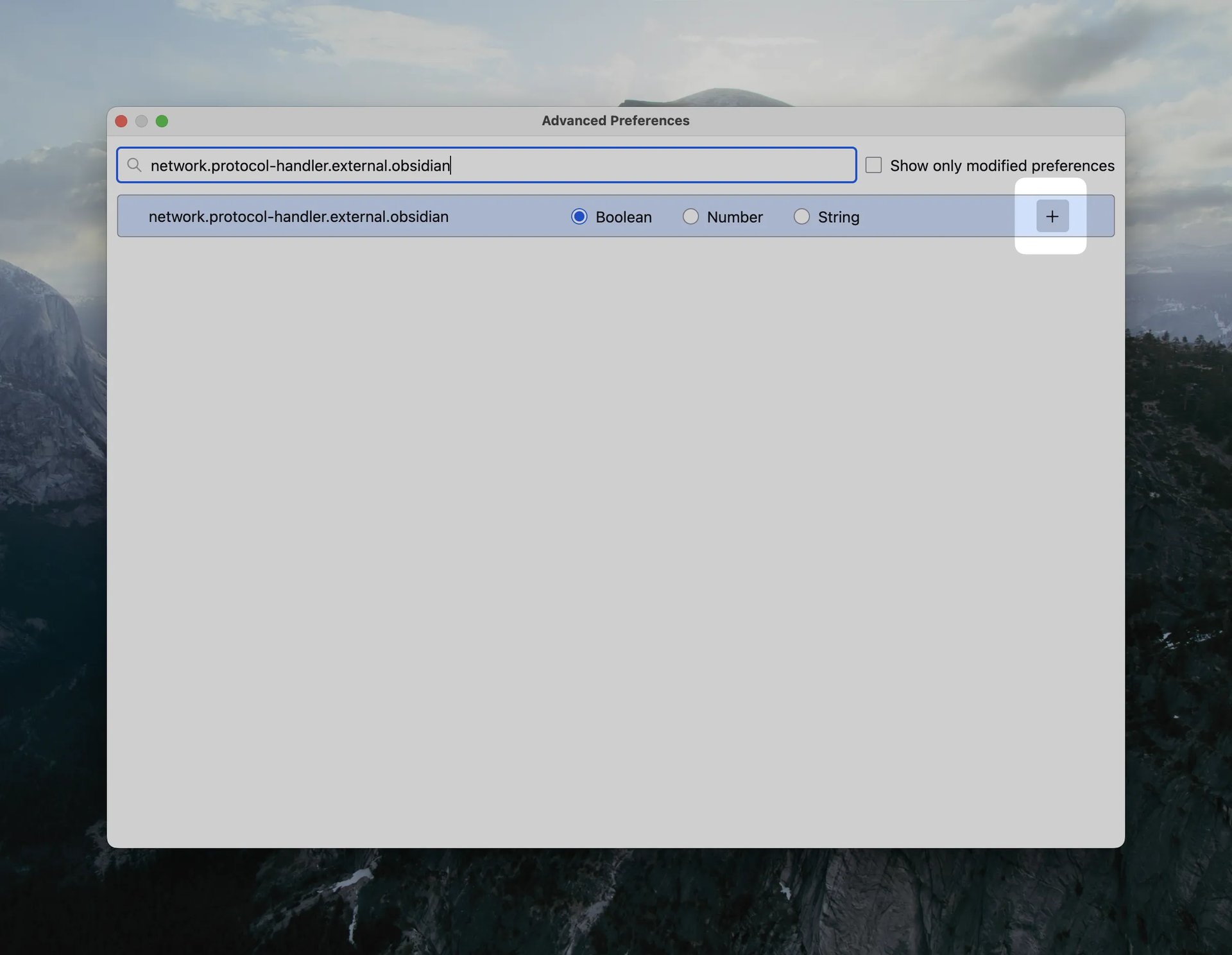
Zotero now opens obsidian:// links without a confirmation dialog.
Links triggered from outside Zotero
If prompts still appear for links opened from other applications (not from
within Zotero itself), also create the preference
network.protocol-handler.prompt-from-external: search for the name, keep
Boolean selected, and click + (Add). The new preference holds true,
so click the Toggle button at the end of its row to change the value to
false.
Credit
Procedure adapted from zotero-markdb-connect.
See also
Last updated on